Showing posts with label ReactJs. Show all posts

Tuesday, March 28, 2023

Debug ReactJS with WebStorm

Instead of using console.logs, WebStorm can be used to debug your development builds of your React app. You can set breakpoints, and inspect your apps in real-time, greatly expediting and simplifying your debug experience.
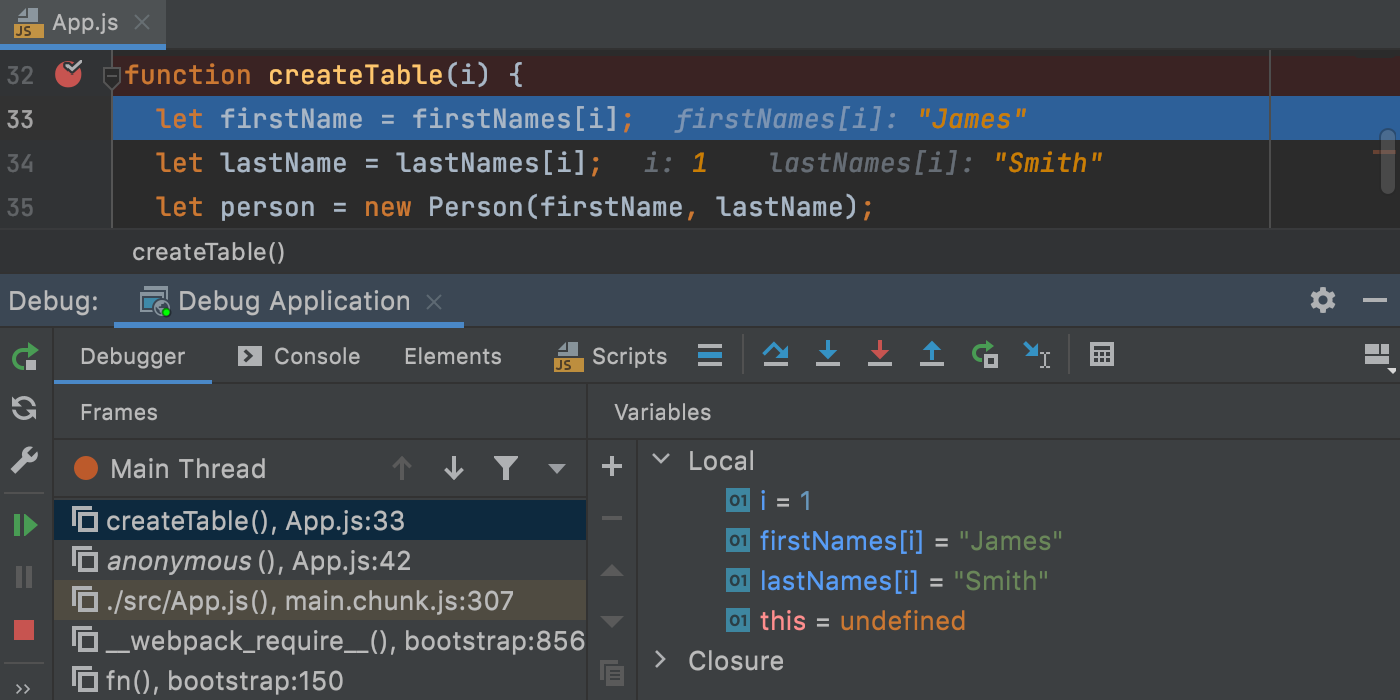


WebStorm is an integrated development environment for JavaScript and related technologies. Like other JetBrains IDEs, it makes your development experience more enjoyable, automating routine work and helping you handle complex tasks with ease.

source: https://www.jetbrains.com/webstorm/


React is a declarative, efficient, and flexible JavaScript library for building user interfaces. ReactJS is an open-source, component-based front-end library responsible only for the view layer of the application. React is used to create modular user interfaces. It promotes the development of reusable UI components that display dynamic data.

source: https://www.geeksforgeeks.org/react-js-introduction-working/

source: https://react.dev


How To:

Open WebStorm, configure a JavaScript debugger

Run -> Edit Configurations

or 

Click the drop down near the run/debug icons, select Edit Configurations
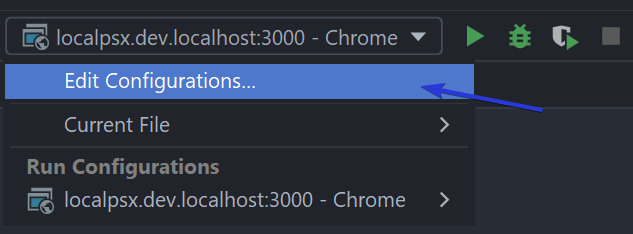


Add a new configuration, click the + button

Choose JavaScript Debug

Change the url to match your development environment, often localhost:3000 
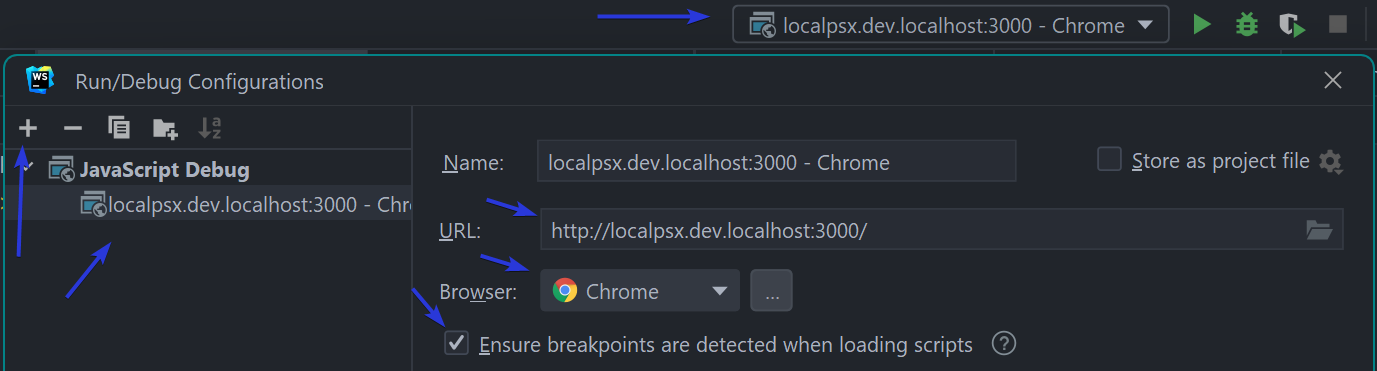
Save


Click the Debug icon, the green bug button, next to the green play button

WebStorm by default will launch a new Chrome instance

However, it will not have any of your plugins.

You can re-install all your plugins, or better, edit the browser configuration in WebStorm


Customize browser config

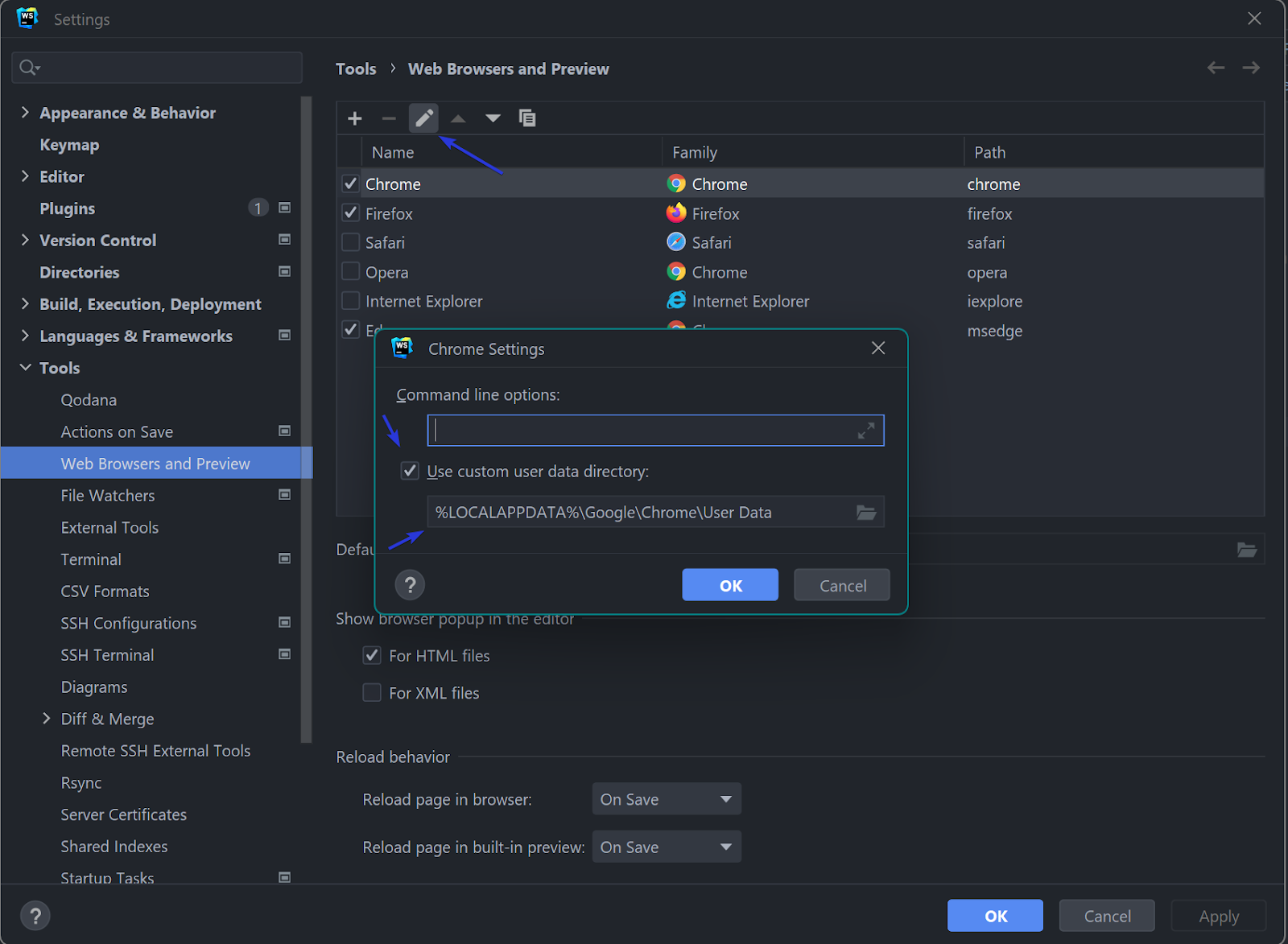
File -> Settings -> Tools -> Web Browsers and Preview

Edit Chrome

Enable Use custom user data dictionary, and past in the path to your Chrome user data directory

Windows %LOCALAPPDATA%\Google\Chrome\User Data

Mac OSX ~/Library/Application Support/Google/Chrome

Linux ~/.config/google-chrome

source: https://chromium.googlesource.com/chromium/src/+/master/docs/user_data_dir.md#Windows


Additional information from WebStorm

source: https://blog.jetbrains.com/webstorm/2017/01/debugging-react-apps/


-End of Document-

Thanks for reading


Monday, January 24, 2022

App breaks out of Cypress test run frame

Cypress is a end-to-end testing framework which is fast, easy and reliable testing for anything that runs in a browser.
Cypress version: 8.3.0

When using Cypress with ReactJS, you may run into a scenario where the tests run the first time, but subsequent tests break out of the Cypress tests run frame; and just shows your app, or your apps loading indicator.  So your tests stop.  

While clearing the Cypress cache fixes the tests for the next run, there should be a better solution.

In the developers tools, if you enable preserve logs for the console and network, you may see a redirect to `__`

Some searching for `cypress redirects to __` will lead you to

'Cypress test runner redirects to __ suddenly'

which suggests adding 
`
Cypress.on('window:before:load', (win) => {
      Object.defineProperty(win, 'self', {
            get: () => {
                return window.top
            }
        })
});
`

To add to your Cypress config,
assuming in `cypress.json` you have your support dir set to 
"supportFile": "[app-product]/support",

add the suggestion to a file
support/callbacks/fix_iframe_redirects.js

and in the support/index.js,
reference the file
import './callbacks/fix_iframe_redirects';

You may have to force refresh the Cypress browser, or clear the Cypress cache once more.

Additional config to check for:
While this seems to be the default, if you happen to be using an ejected Webpack config, also check that `navigateFallbackWhitelist` is set to check for `__`.  

...
new SWPrecacheWebpackPlugin({
...
navigateFallback: publicUrl + "/index.html",
navigateFallbackWhitelist: [/^(?!\/__).*/]
});


You may also encounter the generic error:
TypeError: Cannot set property name of  which has only a getter

Unfortunately, it seems that you can either delete the Cypress cache each time, or disable Chrome web security
tests/cypress/cypress.json
    "chromeWebSecurity": false,
With these changes, your Cypress tests should stay framed and run as expected.


-End of Document-
Thanks for reading